SCREENSHOT
REDACTION
Destroy the pixels. Not just cover them.
Your report screenshots are full of client secrets you'd otherwise black out by hand. Capture a region — or paste one in — and Blackbar detects common secrets locally. Review the marked regions, then export an image with those pixels overwritten.
$ ssh admin@dc01.acme.corp → 10.10.14.7 key=AKIA3F22UMOR0EXAMPLE jwt=eyJhbGciOiJIUzI1NiJ9
Free to detect and review. A license unlocks export.
$19 once · up to three devices · image processing stays on your computer. Activation happens in your browser.
You finished the engagement.
Now the report.
Every screenshot is evidence you have to include — the scan, the secretsdump, the admin panel. And every one is packed with things that can't leave the building: internal IPs, hostnames, credentials, tokens, NTLM hashes, employee emails. So you black them out by hand, one screenshot at a time, hoping you didn't miss one.
- Miss one box by a pixel and a live secret ships in the deliverable.
- Reach for blur instead of a block — and blur is reversible on short strings.
- The exported PNG still carries EXIF, GPS and hidden metadata.
- The same IP shows up in twelve screenshots — now keep it redacted consistently.
One miss is a real security incident — with your client's name on it. Blackbar helps you find sensitive content, review the coverage, and export a redacted copy.
Paste. Detect. Burned.
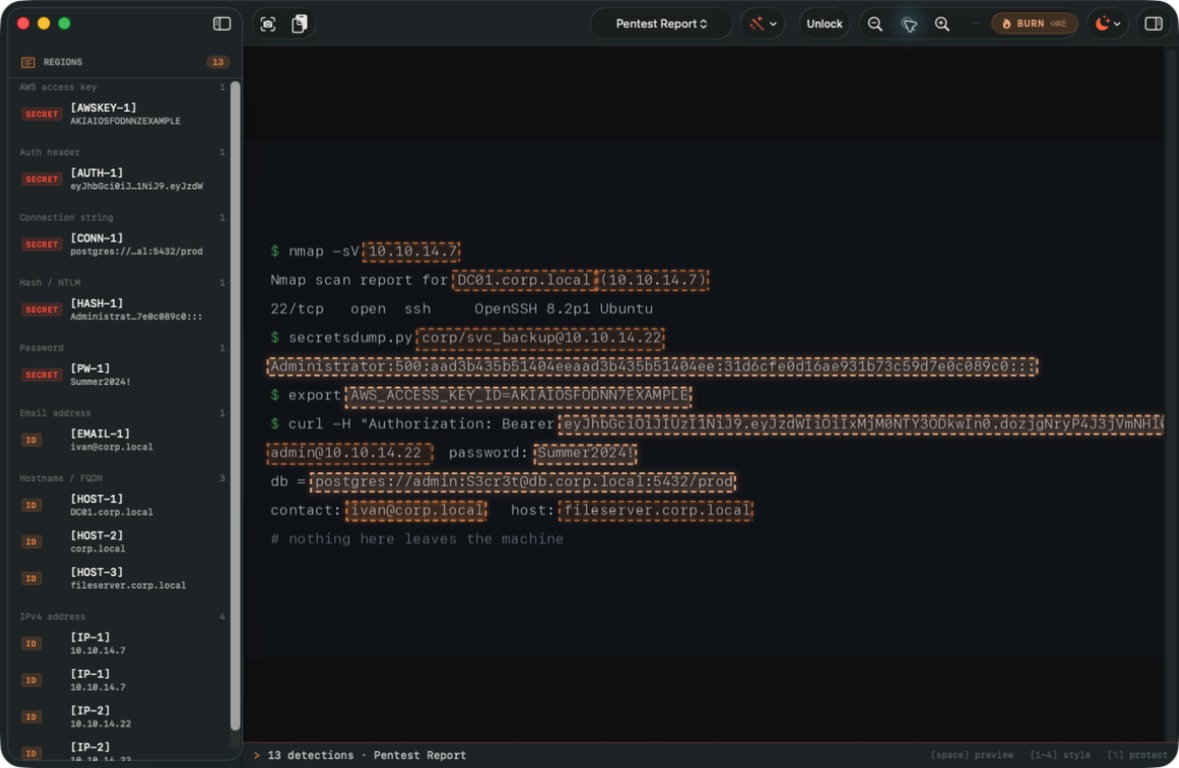
A real terminal dump, pasted straight in — Blackbar OCRs it, finds seven secrets, and burns them to labeled bars. Review the detections and add any missing boxes before export.
Capture + redact,
one tool.
New: press ⇧⌘2 on macOS or Ctrl+Shift+2 on Linux, drag a box on screen, and the shot drops straight into Blackbar — detected and ready to burn. No separate screenshot app, no clipboard shuffle. On macOS capture stays in memory. Windows and Linux use a temporary local file during capture. Screenshots are processed locally.

Review the boxes. Check the result.
A synthetic terminal example with IPs, credentials and tokens — reviewed, then redacted. The same value keeps the same label across every screenshot.
![Redacted terminal with consistent [IP-1], [HASH-1], [AWSKEY-1] labels](/shots/after.webp)

Opaque redaction replaces the pixels
Export rasterizes the source, overwrites the redacted regions in the bitmap, and encodes a brand-new image. No overlay layer. No alpha channel hiding the original. All EXIF, GPS and thumbnails stripped.
Solid and labeled regions overwrite the covered pixels. Regression tests check exported pixel coverage; you still need to review that the boxes cover all sensitive content.
Solid fill is the default
Blur and pixelate are reversible — depixelation attacks recover short strings reliably. Blackbar defaults to opaque solid fill.
Reach for a reversible style on something classified as a secret and it warns you, inline, before you make the mistake.
Paste
Straight from ⌘⇧4. OCR'd with Vision — tuned for dense terminal text, no “correction” to mangle 10.0.0.1.
Detect
Supported secrets and identifiers are marked for review. When exact text positioning is uncertain, coverage can expand to the line.
Review
Orange boxes show what will go. Click to drop a false positive, drag to add, hold ⌥ to protect.
Burn
A fresh PNG on your Desktop and the clipboard, in one keystroke.
· 27 ·
| Detector | Example | Default action |
|---|---|---|
| Private key block | -----BEGIN RSA PRIVATE KEY----- | burn |
| AWS access key | AKIA3F22UMOR0EXAMPLE | burn |
| JWT | eyJhbGciOiJIUzI1NiJ9.eyJ… | burn |
| NTLM / secretsdump | …:31d6cfe0d16ae931b73c59d7…::: | burn |
| Password in context | password: Summer2024! | burn |
| Connection string | postgres://admin:pw@db.corp.local | burn |
| IPv4 · RFC1918-aware | 10.10.14.7 | mark |
| Hostname / FQDN | dc01.corp.local | mark |
| Email · IBAN · card (Luhn) | svc_backup@corp.local | mark |
| Documentation range | 192.0.2.0/24 · example.com | skip |
14 secret · 11 identifier · 2 contextual. Filters reduce common false positives such as loopback and documentation addresses. Review the suggestions before export.
The app binary ships with no network entitlement — checked by the macOS entitlement tests.
Nothing you redact ever touches a network. You activate each device once on this website, in your browser; the app verifies that activation offline and never phones home. No account, no analytics. Your screenshots are your most sensitive files; they are processed on your machine and nowhere else.
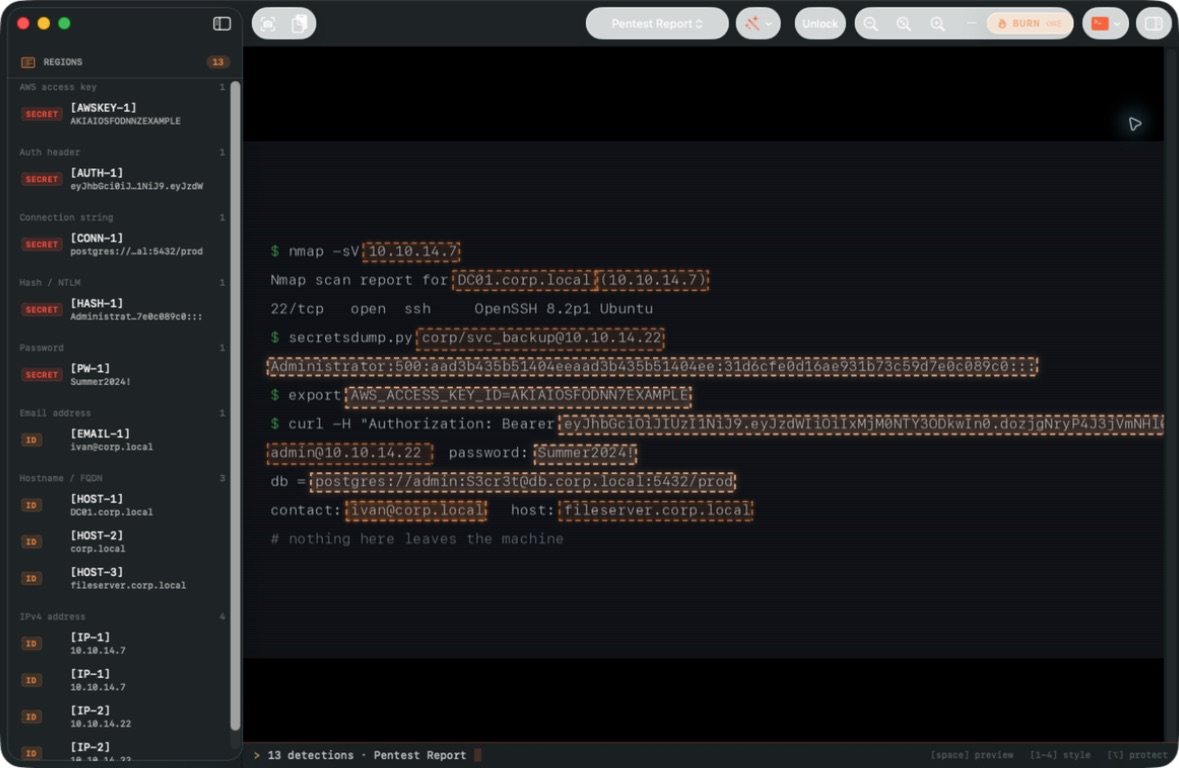
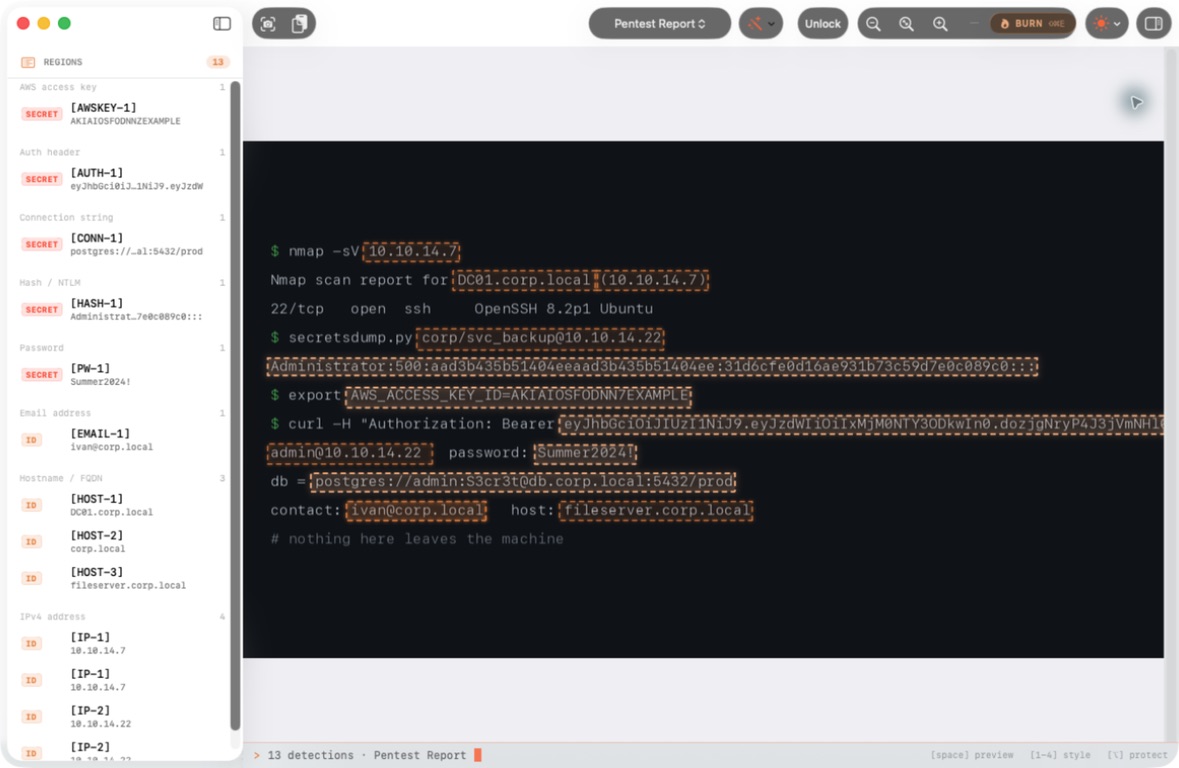
Blackbar follows your system language, and a picker in the app overrides it. Menus, the inspector, status messages and the tray all speak it.
 EnglishEnglish
 DeutschGerman
 Español (México)Spanish
 FrançaisFrench
 ItalianoItalian
 NederlandsDutch
 Português (Brasil)Portuguese
 日本語Japanese
 한국어Korean
 繁體中文Traditional Chinese
Detection reads Latin-script text: secrets, keys, IPs and hostnames are found on a Japanese or German screen exactly as on an English one, but names written in other scripts need a manual box. What that means in practice →
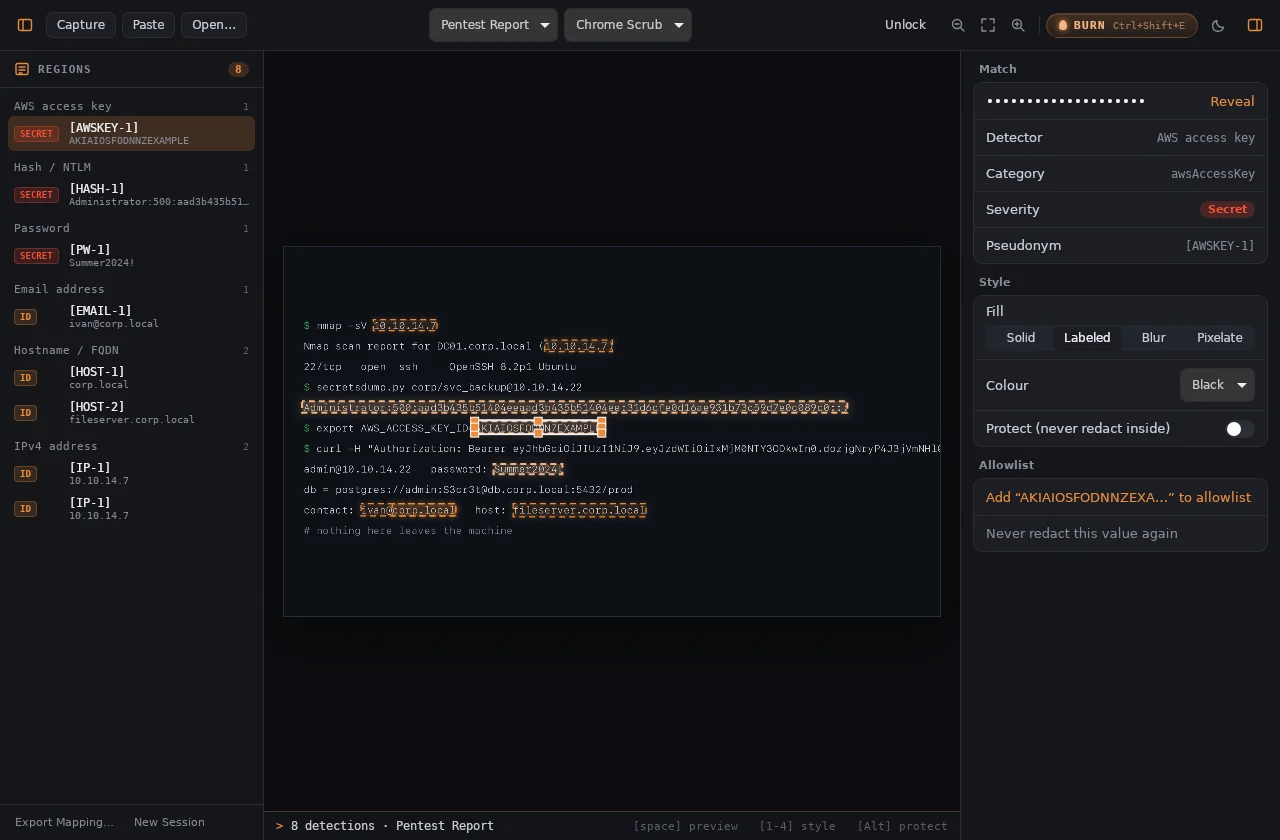
The same detectors, the same destructive burn, the same licence — on macOS, Windows and Linux. One key covers three of your devices, in any mix. Below: Blackbar on Linux, boxing a pentest terminal with consistent [IP-1] · [HOST-1] · [AWSKEY-1] pseudonyms.
- All detectors and profiles included
- Free to open, detect and redact — a licence unlocks export
- Offline Ed25519 license — one key activates macOS, Windows & Linux
- Every detector, profile and export format
- Updates for the 1.x line
Can Blackbar take the screenshot too?
Yes. Press ⇧⌘2 on macOS or Ctrl+Shift+2 on Linux, drag a region, and it loads straight into the editor — detected and ready to redact. You can still paste, open, or drop a file. On macOS it uses the system's region selector and asks once for Screen Recording permission, which macOS requires for any app-initiated capture — no audio or video is recorded, only the still region you drag. On Linux it uses your desktop's region tool (grim, spectacle, gnome-screenshot, flameshot, maim or scrot).
Is it really offline?
Yes. On macOS the app ships with no network client entitlement, checked by automated macOS entitlement tests. The Linux build bundles its OCR models and fonts inside the package and opens no sockets — same guarantee, verifiable. Image processing is offline; one-time activation happens separately in your browser.
How does the license work?
After purchase you get a licence key by email. In Blackbar choose Enter License…, paste the key, and choose Activate this device: your browser opens getblackbar.com/activate with the key and a device code filled in, and you paste the activation code back. Each licence covers up to three of your devices — macOS, Windows or Linux, in any mix — and you can move it when you replace a machine. Blackbar itself never goes online; the activation is checked offline.
Can the original pixels be recovered from an export?
No. Export re-encodes a fresh bitmap with the redacted regions overwritten, and strips all metadata. A test reads exported files back and asserts the original content is gone.
What platforms?
macOS 14 (Sonoma) and later on Apple silicon. Windows 10 and 11 on x64 and ARM64. Linux on x86_64 and ARM64 — a single-file AppImage that runs on any distribution, plus a .deb for Debian/Ubuntu 22.04+. One purchase covers all three.
Refunds?
Blackbar is free to open, detect and redact for as long as you like, so you can confirm the redaction is genuinely destructive before paying. If something's wrong after purchase, email support and we'll make it right.